Introduction
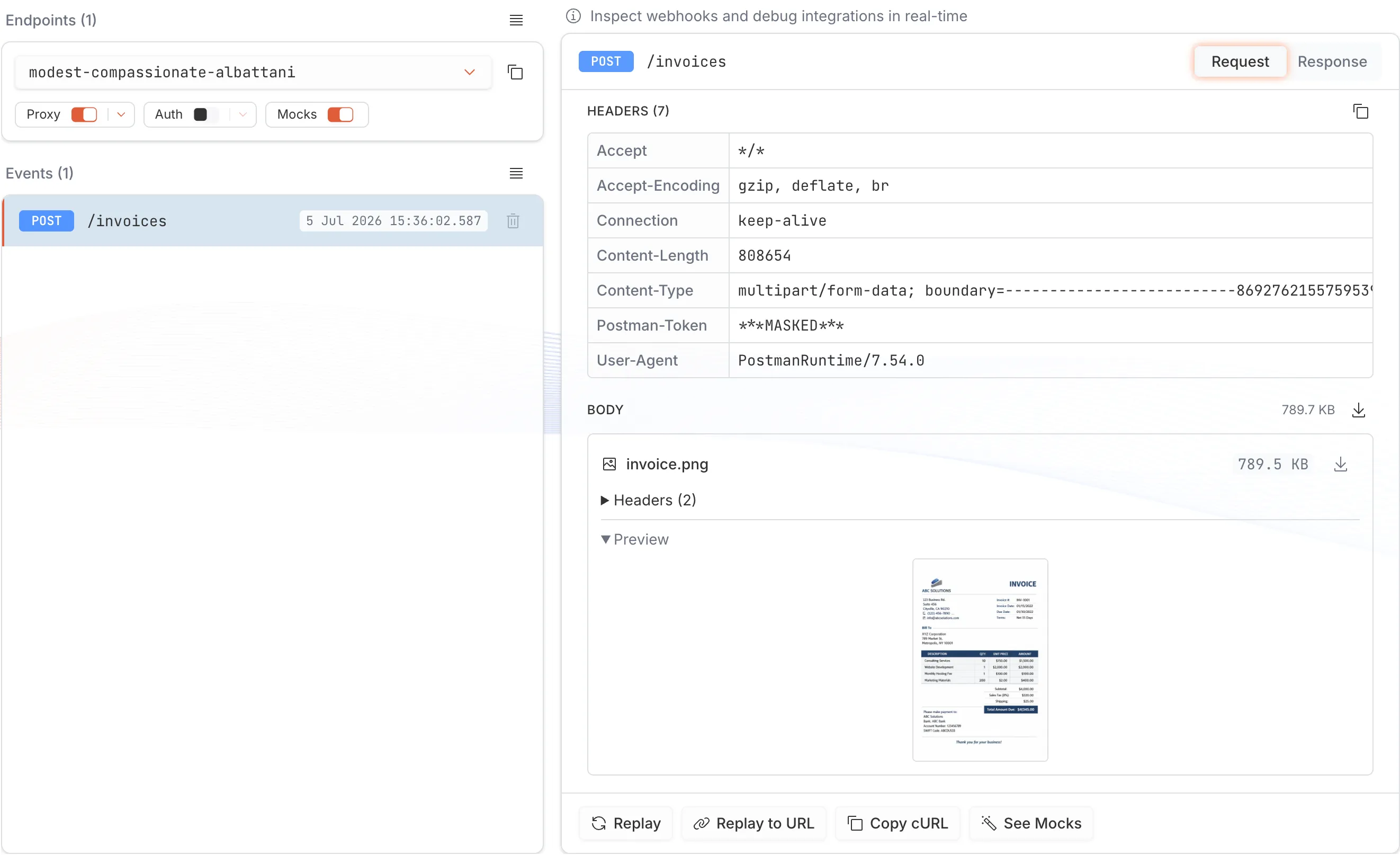
Requestify lets your AI coding agent mock the API your code calls, run your code against it, and verify what the code actually sent. It gives the agent a live HTTP endpoint that answers with the mock responses you define, and records every request that arrives: method, path, headers, query parameters and body.
The agent connects over MCP (Claude Code, Cursor, Kiro and other clients). It creates the endpoint and mocks, runs your code or tests against the endpoint’s URL, then reads back what arrived and compares it to what it meant to send. You see the same requests, live in the browser. Connect your assistant to try it.
The same endpoint also works without an agent. Point a webhook, an integration or your own code at a Requestify URL, forward each request to your real server to compare the response, or build mocks by hand or from an OpenAPI spec.
What you can do with it
Section titled “What you can do with it”- Let an agent check its own work. The agent mocks an API, runs your code, and reads back the headers and body your code really sent. See the verify loop.
- Test webhooks. Give Stripe, GitHub, Shopify or any other sender a Requestify URL and see each delivery as it happens. No SDK and no code changes.
- Debug outgoing requests. Send your app’s HTTP calls to Requestify to check what it really sends.
- Proxy to your server. Forward requests to a URL of your choice and compare what came in with what your server answered. Replay any request later.
- Mock an API. Reply with the status, headers and body you choose, built from the request if you like, with matching rules and artificial delays. Or import an OpenAPI 3.x spec and get a mock for every operation.
- Let your AI assistant drive everything above. Claude Code, Kiro, Cursor and other MCP clients can create endpoints and mocks, send test requests and read what arrived.
Core concepts
Section titled “Core concepts”-
Workspace: Your account’s space in Requestify. Its name becomes your subdomain, so a workspace called
acme-demoreceives traffic athttps://acme-demo.requestify.dev. Every endpoint, mock and key belongs to a workspace. -
Endpoint: A URL inside your workspace, such as
https://acme-demo.requestify.dev/brave-eager-turing/. Any request to that URL, with any method and any path after it, is captured. You can create several endpoints and switch between them. -
Event: One captured request, with everything needed to inspect it, copy it as cURL or replay it.
-
Proxy: An endpoint setting that forwards each captured request to a URL you choose and records the response.
-
Mocks: Responses an endpoint returns instead of the default acknowledgement. Requests are still captured while mocks are on.
-
MCP: The Model Context Protocol, an open standard that lets AI assistants use external tools. Requestify’s MCP server exposes endpoints, events and mocks as tools.
Where to go next
Section titled “Where to go next”- Getting started: sign up and capture your first request.
- Capture & inspect: endpoint URLs, reading events and protecting an endpoint.
- Proxy & replay: forward requests to your server and resend them.
- Mock responses: templates, matching rules and delays.
- OpenAPI import & export: mocks for a whole API from its spec.
- API keys: access for scripts, CI and AI assistants.
- Connect your AI assistant: Claude Code and other MCP clients.
Everything described in these docs is available on the free plan. Paid plans raise the limits on endpoints, mocks per endpoint, request rate and how long events are kept. See pricing for the current numbers.