OpenAPI import & export
If your API has an OpenAPI description, you don’t have to build its mocks one at a time. Import the spec and Requestify creates a mock for each response it describes, with example bodies. Going the other way, you can export an endpoint’s mocks as an OpenAPI document to hand to another team, commit to a repository or feed to a code generator.
Import a spec
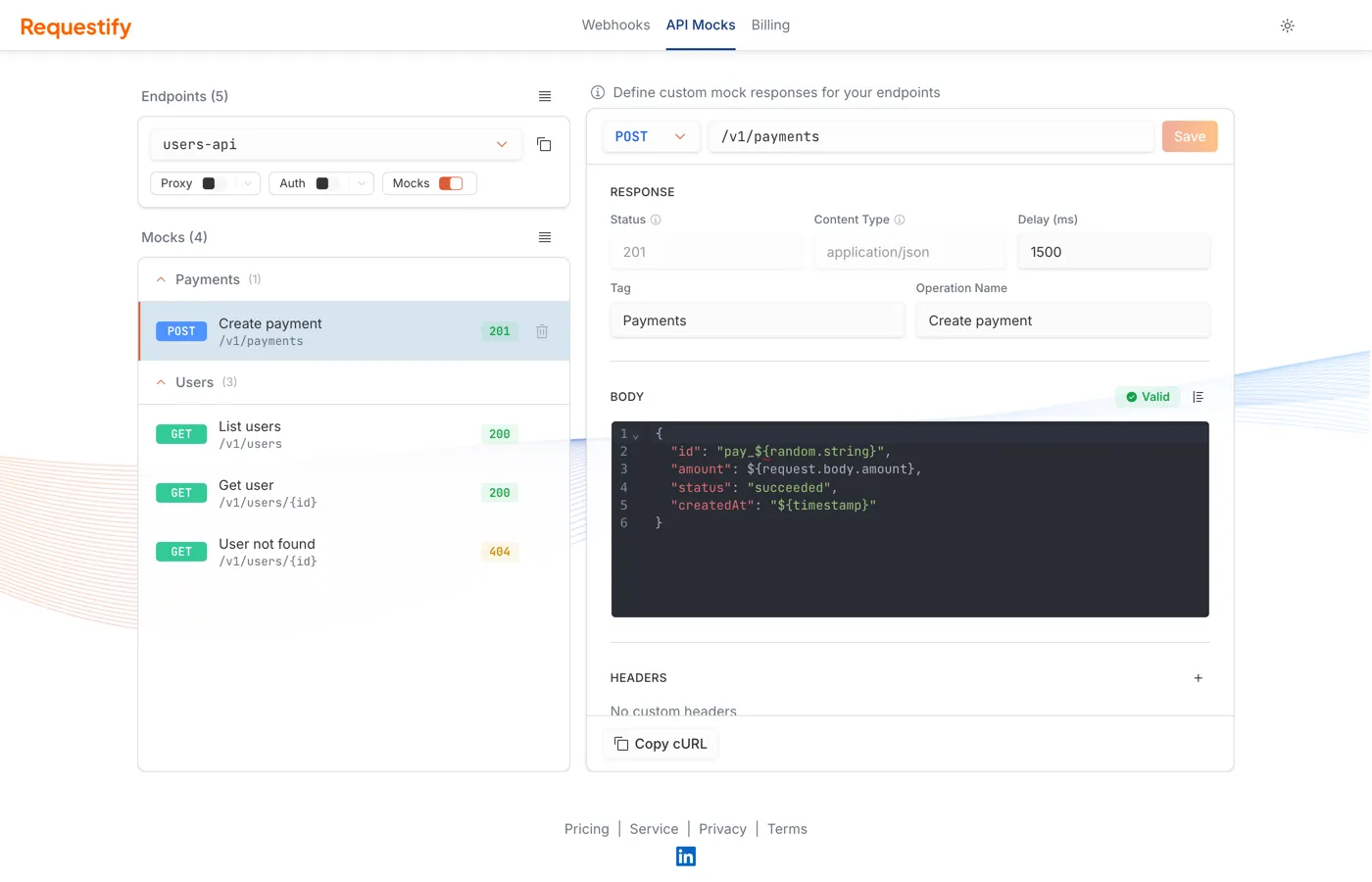
Section titled “Import a spec”- Open the API Mocks page and select the endpoint to add the mocks to.
- Open the mocks menu (☰) above the list and choose Import.
- In Import OpenAPI Spec, provide the document in one of three ways:
- File: drag a
.yaml,.ymlor.jsonfile onto the drop zone, or click to choose one. - URL: enter the address of a hosted spec.
- Paste: paste the YAML or JSON.
- File: drag a
- Click Preview Import.
What can be imported
Section titled “What can be imported”- OpenAPI 3.x documents, in YAML or JSON. Swagger 2.0 isn’t supported; convert it to OpenAPI 3 first, for example with Swagger Editor.
- Documents up to 5 MB and 2,000 operations.
$refs within the document are resolved. References to other files or URLs aren’t followed.
Review and choose operations
Section titled “Review and choose operations”The preview page lists everything the spec would create. One mock is created per path, method,
response status and content type, so an operation that declares 200, 400 and 404 responses
becomes three mocks.
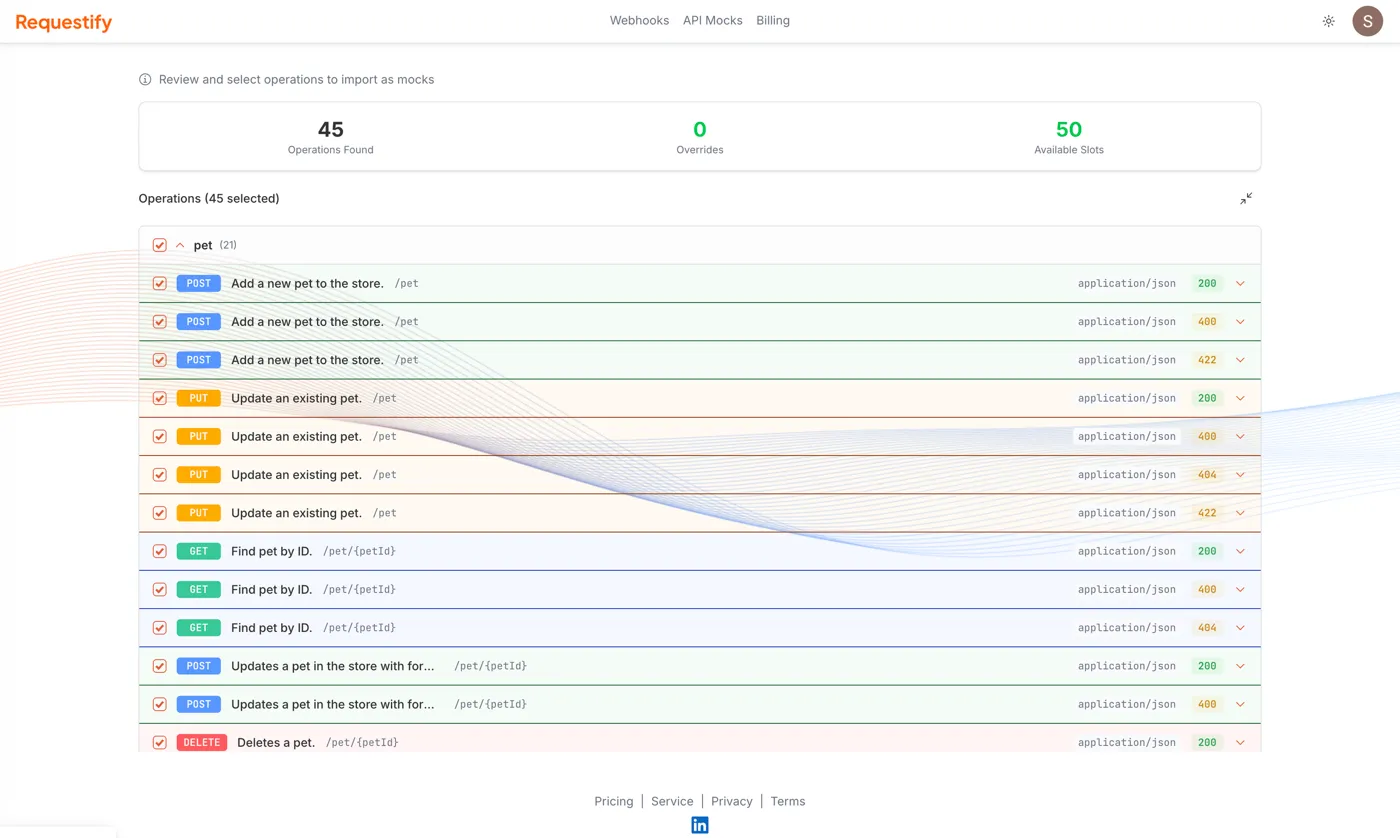
At the top:
- Operations Found is the number of mocks the spec describes.
- Overrides is how many of them would replace a mock that already exists on this endpoint with the same path, method, status and content type.
- Available Slots is how many more mocks your plan allows on this endpoint.
Operations are grouped by tag, and everything is selected to start with. Use the checkboxes to pick individual operations or whole tags. Expand an operation to see its parameters, request body, responses and the example body that will be used. If an operation shows Import Warnings, read them before importing; they explain anything that couldn’t be carried over exactly.
Click Import N Operation(s) to create the mocks. If the selection needs more new mocks than you have slots for, nothing is imported and you’re told how many to drop.
What the imported mocks contain
Section titled “What the imported mocks contain”- Body. For JSON and XML responses, the body comes from the response’s
example, then itsexamples, and otherwise is generated from its schema. Other content types get an empty body, and responses with no content (such as204) get a mock with no body. - Path. Path parameters keep their
{name}form, so/pets/{petId}matches/pets/42. - Tag is the operation’s first tag. Operation Name is its
summary, or itsoperationIdwhen there’s no summary, or the method and path when there’s neither. - Status comes from the response code. Responses listed as
defaultare skipped, because they don’t have a single status.
Imported mocks are ordinary mocks: edit them, add rules or delete them like any other. Remember to turn on the endpoint’s Mocks switch so they’re served.
Importing again
Section titled “Importing again”Importing replaces existing mocks that have the same path, method, status and content type, and leaves all others alone. That makes re-importing an updated spec a quick way to resync, but it also discards any edits you made to the replaced mocks. The Overrides counter shows how many that will be before you confirm.
Requestify keeps the most recently imported document for each endpoint, and uses it when you export.
Export your mocks
Section titled “Export your mocks”On the API Mocks page, open the Endpoints menu (☰) above the endpoint card and choose Export OpenAPI. Pick a format under one of two headings:
- Spec only, as YAML or JSON: a clean OpenAPI document with no Requestify extensions. Use this for code generation or to commit to a repository.
- With mock data, as YAML or JSON: the same document plus an
x-requestify-mocksextension on each operation, holding the mocks’ bodies, headers, rules and delays. Import this file into any endpoint to restore the mocks exactly.
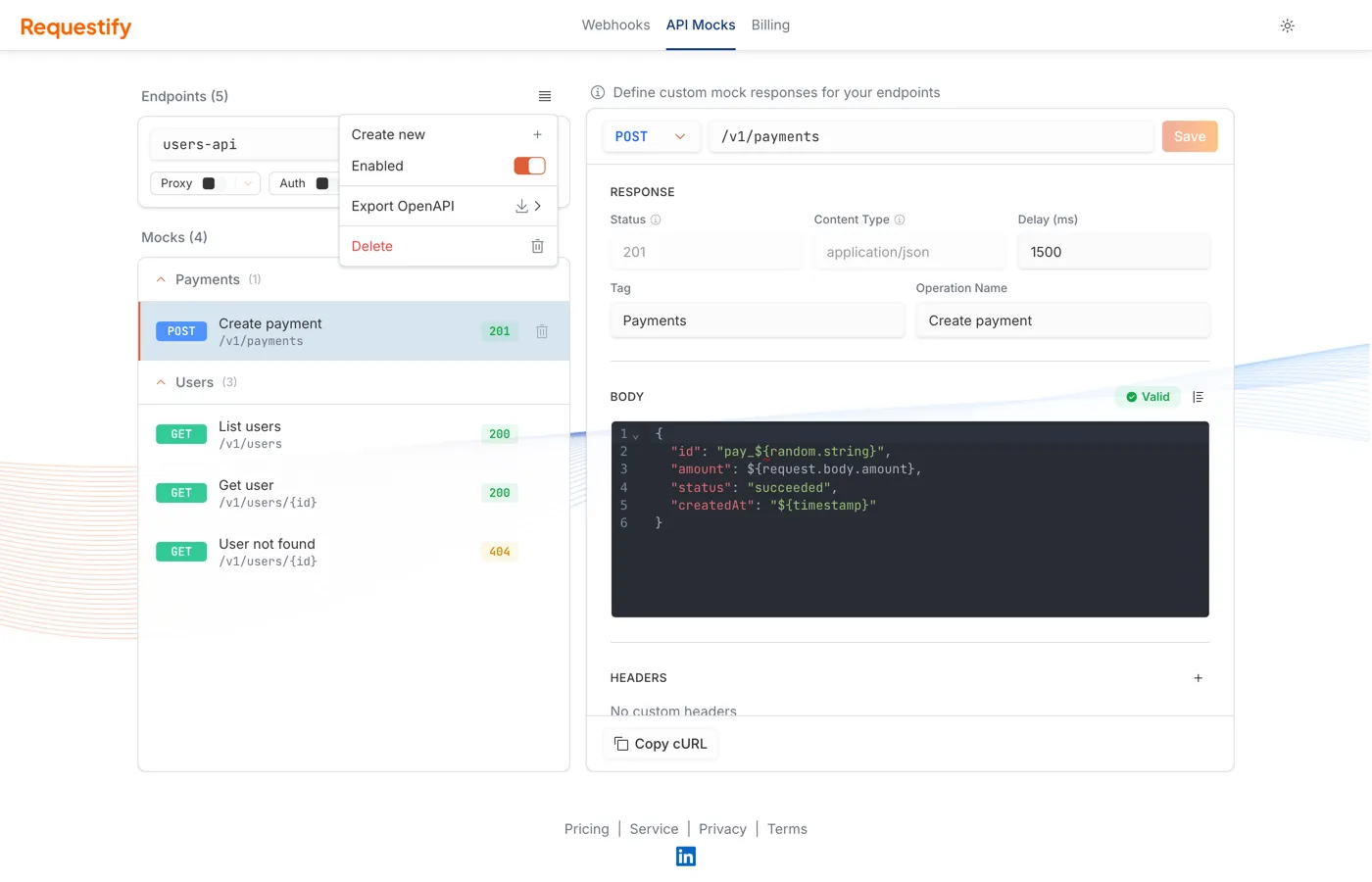
The file downloads as <endpoint-name>-openapi.yaml or .json.
What the document contains depends on how the mocks were made:
- If you imported a spec into this endpoint, the export is your own document with the current mocks laid over it. Servers, security schemes, request bodies, schemas and components are kept, and mocks you added by hand are added as new operations.
- If you never imported one, Requestify builds an OpenAPI 3.0 document from the mocks themselves. Each mock’s Tag and Operation Name become the operation’s tag and summary.
A mock with method ANY can’t be expressed in OpenAPI. It’s exported under GET, and the
With mock data export keeps the fact that it matches any method.
Next steps
Section titled “Next steps”- Mock responses: templates, rules and delays for the imported mocks.
- Connect your AI assistant: assistants can stage, analyze, edit and import specs for you, including ones too large to paste.