Proxy & replay
With proxy on, an endpoint still captures every request, and also forwards a copy to a URL you choose: your local tunnel, a staging server, or the real webhook handler. Requestify records your server’s response next to the request, so you see both sides in one place. Any captured request can then be replayed, to the same URL or a different one.
Turn on proxy
Section titled “Turn on proxy”- Select the endpoint on the Requests page.
- Turn on the Proxy switch on the endpoint card.
- Click the arrow next to the switch and enter the Proxy URL, such as
https://staging.example.com/webhooks. Press Enter or click away to save.
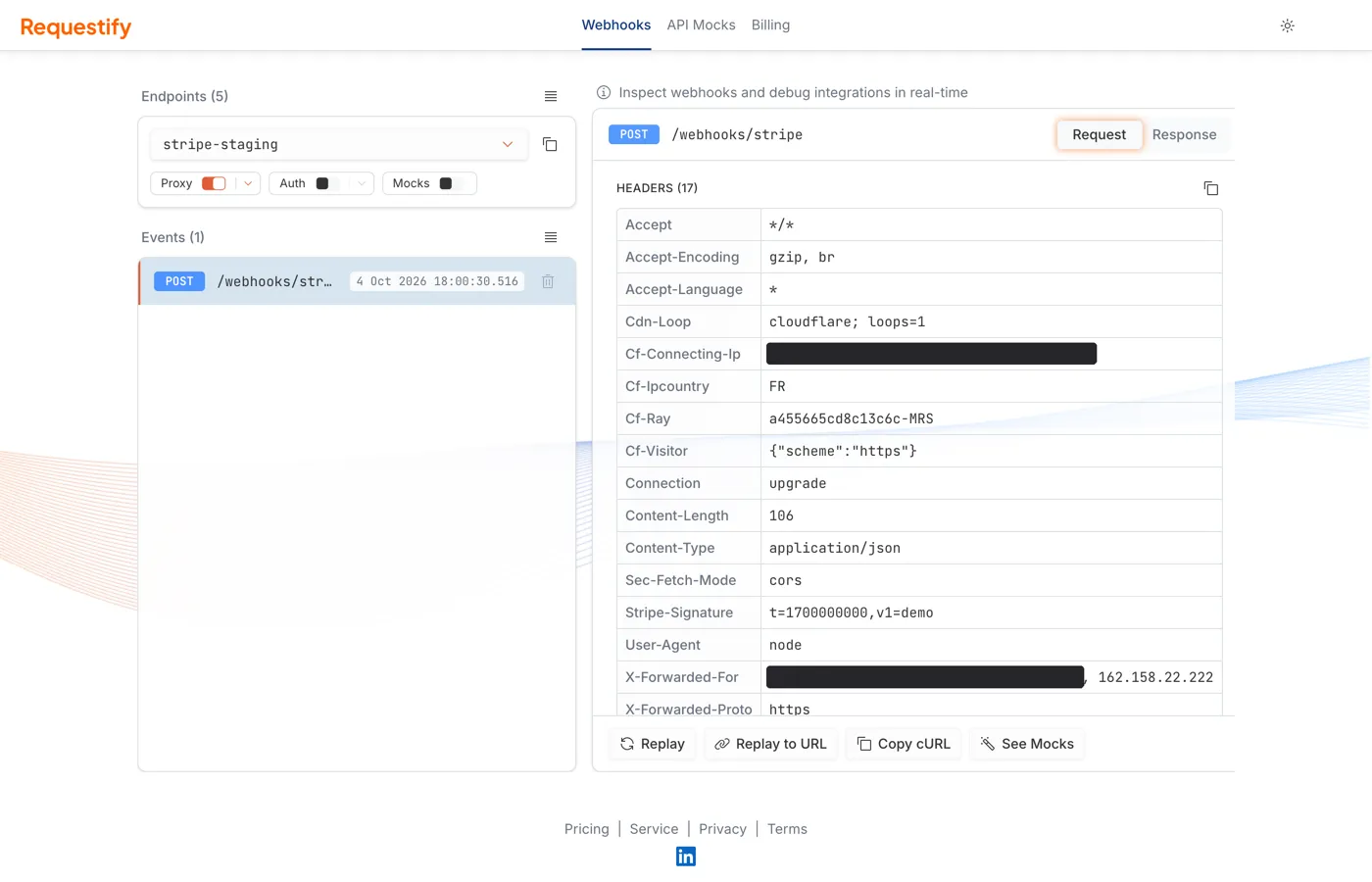
The proxy URL must be an absolute http:// or https:// URL. It can’t point at requestify.dev
or any of its subdomains, because that would loop the request back into Requestify.
What gets forwarded
Section titled “What gets forwarded”Each captured request is sent on with the same method, headers and body. The path and query string after your endpoint name are added to the proxy URL:
Request to: https://acme-demo.requestify.dev/brave-eager-turing/stripe/events?attempt=2Forwarded to: https://staging.example.com/webhooks/stripe/events?attempt=2Requestify adds these headers to the forwarded request:
| Header | Value |
|---|---|
X-Forwarded-For |
The original sender’s IP address |
X-Forwarded-Host |
The host the request was sent to, such as acme-demo.requestify.dev |
X-Forwarded-Proto |
The protocol of the original request |
X-Requestify-Event-Id |
The id of the captured event |
X-Requestify-Proxy-Request-Id |
A unique id for this forwarding attempt |
Hop-by-hop headers such as Connection, Keep-Alive, Transfer-Encoding and Upgrade aren’t
forwarded.
If your server can’t be reached at all, Requestify tries again up to five times with an increasing delay. Once the request has reached your server it is never retried, so a slow or failing handler won’t receive duplicate deliveries. Each forward waits up to 30 seconds for an answer.
See your server’s response
Section titled “See your server’s response”When proxy is on, the event panel gets Request and Response tabs. Open Response to see what your server answered:
- A dropdown lists every response recorded for this event, one per forward or replay. Each entry shows the status code, the URL it went to, when it happened and how long it took.
- Headers shows the response headers, with a copy button. Sensitive values are masked the same way as on requests.
- Body shows the response body with the same viewer as request bodies. Bodies over 5 MB aren’t stored.
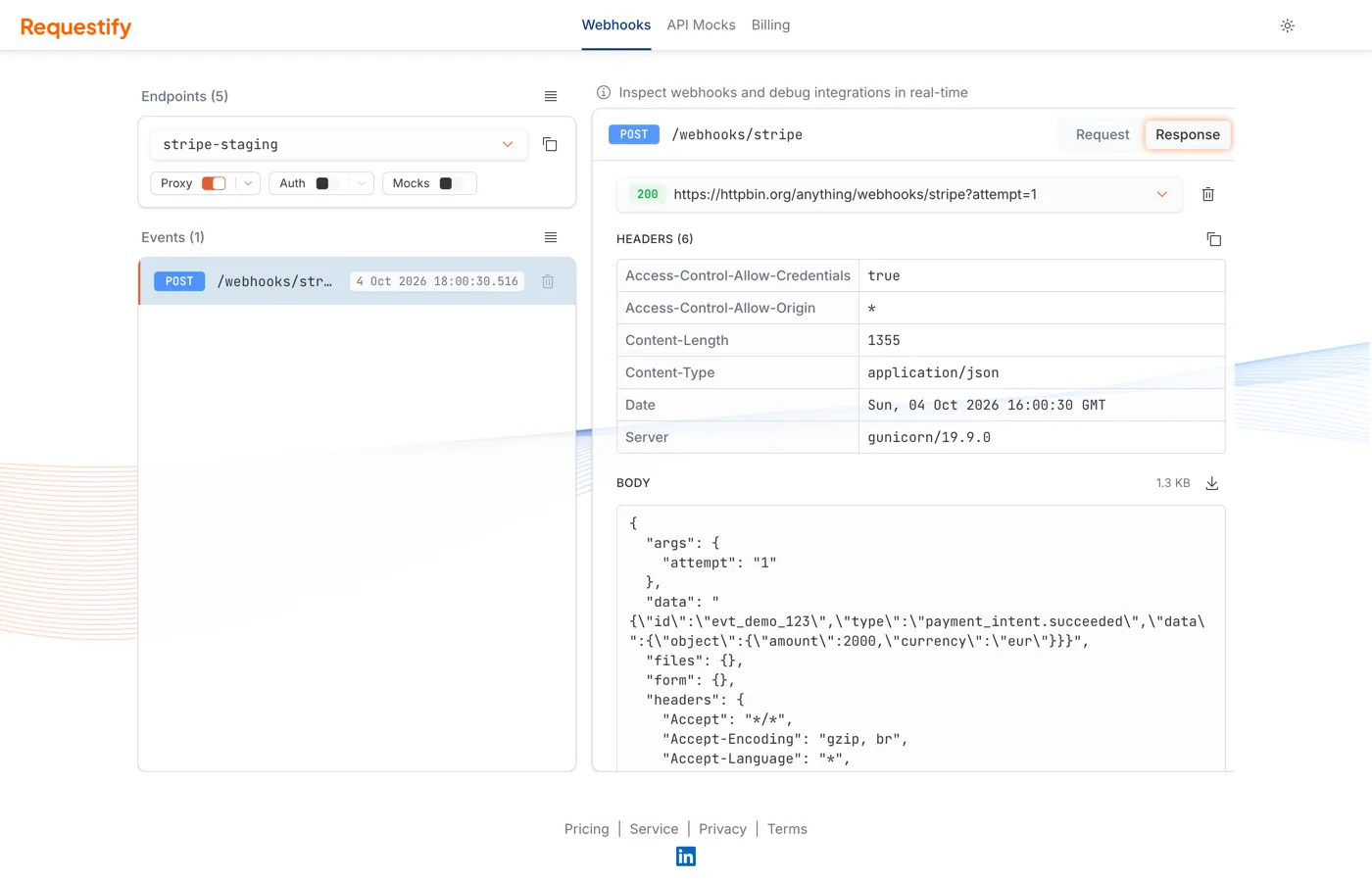
To remove a recorded response, select it in the dropdown and click the trash icon next to it. A forward that couldn’t connect appears without a status code or body.
Replay a request
Section titled “Replay a request”Replaying sends a captured request again, with its original method, path, query string, headers and body. Masked headers are sent with their real values. Replay works on endpoints that have proxy on.
- Replay sends it to the endpoint’s proxy URL. Use it after fixing a bug in your handler, to retry the exact delivery that failed.
- Replay to URL sends it to a URL you type in, for example your local tunnel. The same rules
apply as for the proxy URL: absolute
http(s)and not onrequestify.dev.
Both buttons appear only while the endpoint’s proxy is on.
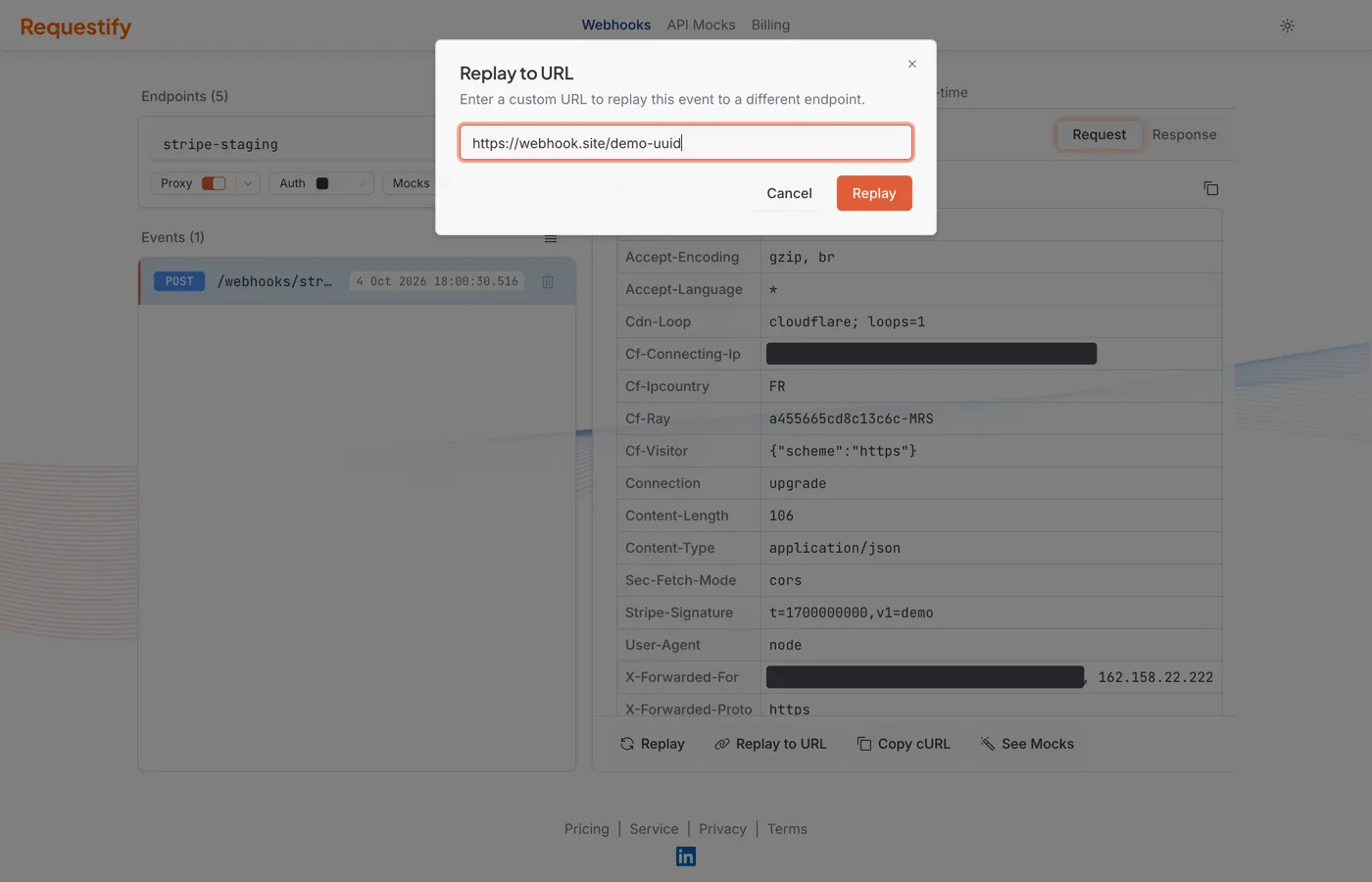
Both buttons are at the bottom of the event panel. Each replay adds a new entry to the Response tab, so you can compare the answers from before and after a fix.
Next steps
Section titled “Next steps”- Mock responses: reply with your own status, headers and body instead of the default acknowledgement.
- Capture & inspect: reading events, masked headers and endpoint settings.