API keys
An API key lets a program act as you in Requestify without signing in through the browser. Use one to connect an AI assistant over MCP when it can’t sign in through the browser, or to call the Requestify API from scripts and CI. API keys are available on every plan.
Create a key
Section titled “Create a key”- Open the avatar menu at the top right and choose API Keys.
- Click Generate new key.
- Choose an Expiration date. The default is one year from today, which is also the latest you can pick.
- Confirm. Requestify shows the new key.
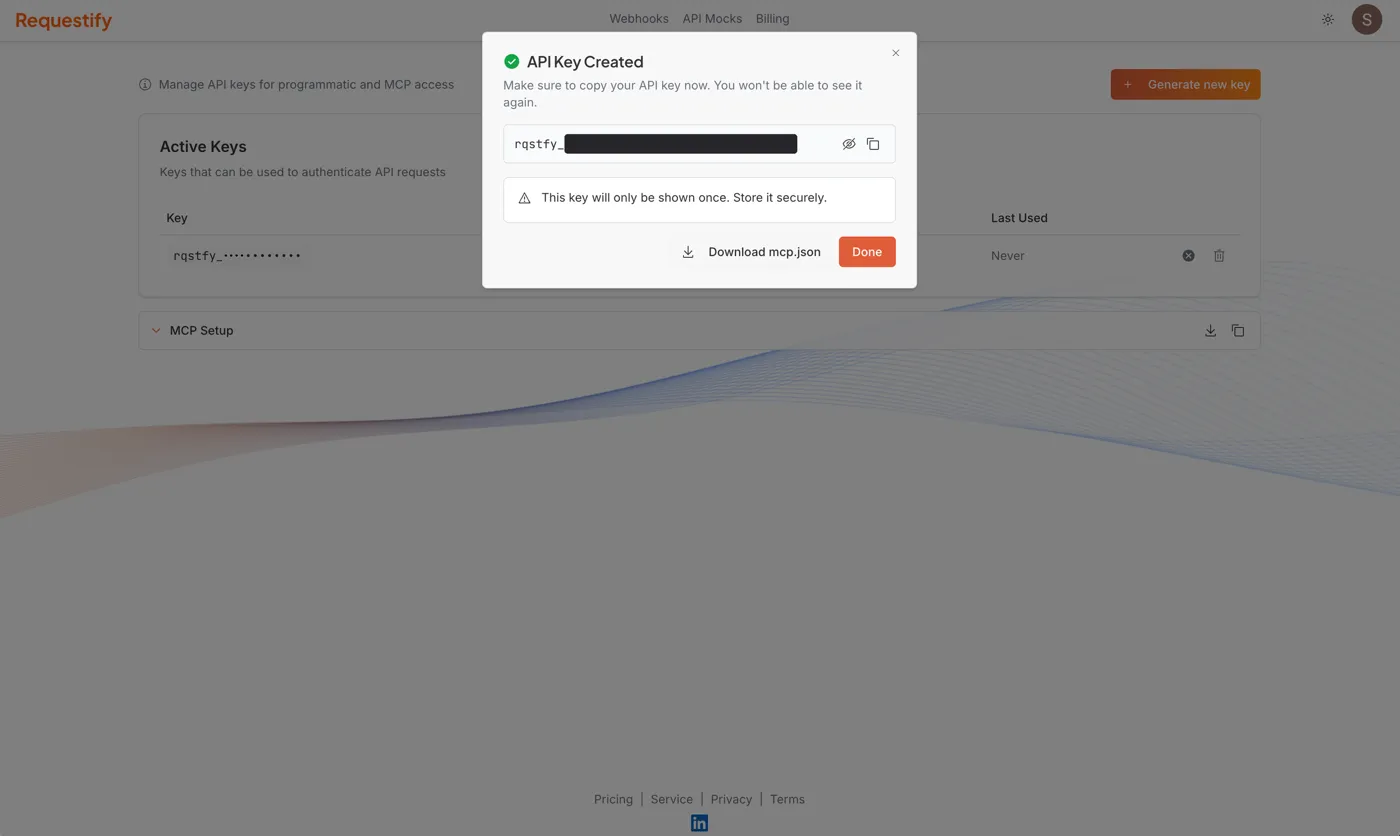
Copy the key straight away. It’s shown only once; afterwards the list shows only its first
characters. Keys start with rqstfy_.
From the same dialog, Download mcp.json saves an MCP configuration file with the key already
filled in. It suits clients that read an mcpServers file; for Claude Code and others, see
Connect your AI assistant.
Use a key
Section titled “Use a key”Send the key in the Authorization header:
curl https://api.requestify.dev/endpoints \ -H "Authorization: Bearer rqstfy_your_key_here"The Requestify API also accepts the key in an X-API-Key header. The MCP server accepts only
Authorization: Bearer.
A key acts as the user who created it, in that user’s workspace, with the same plan limits as the web app.
Manage keys
Section titled “Manage keys”The API Keys page lists your keys in up to three tables:
- Active Keys shows each key’s first characters, when it was created, when it expires and when it was last used.
- Expired Keys lists keys past their expiration date. They no longer work.
- Revoked Keys lists keys you’ve revoked. They no longer work.
Each key has two actions:
- Revoke stops the key working straight away, and keeps it in the list as Revoked, so you can still see that it existed.
- Delete removes the key entirely.
Revoke a key as soon as you think it might have leaked, and create a new one.
Keep keys safe
Section titled “Keep keys safe”- Treat a key like a password. Anyone who has it can create, change and delete your endpoints and mocks, and read everything they’ve captured.
- Store keys in your CI system’s secret store or an environment variable, not in source code.
- Give each tool or machine its own key, so you can revoke one without breaking the others.
- Pick the shortest expiration that works for you.