Mock responses
Mocks make an endpoint answer like a real API. You choose the status code, headers and body for a method and path. Bodies can include values from the request, such as a path parameter or a header, and rules let the same path answer differently depending on what was sent. Useful when the backend doesn’t exist yet, or when a third-party API won’t produce the response you need to test.
To create mocks from an OpenAPI spec instead of one by one, see OpenAPI import & export.
Turn on mocks
Section titled “Turn on mocks”Mocks are managed on the API Mocks page. Select an endpoint and turn on the Mocks switch on its card. The same switch is on the Requests page.
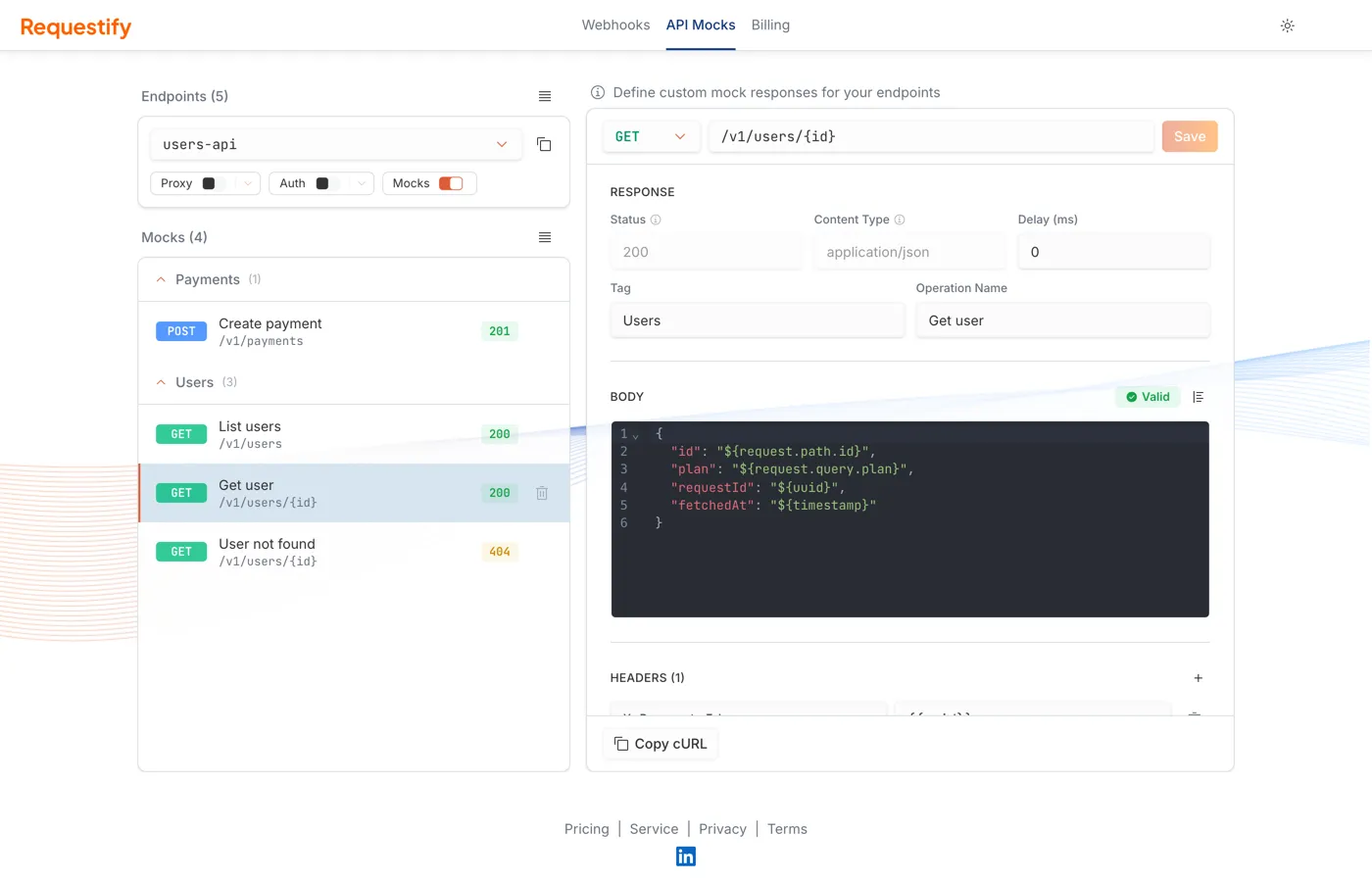
With mocks on:
- A request that matches a mock gets that mock’s response.
- A request that matches no mock gets
404with{"error": "no mock configured", "method": "…", "path": "…"}. CORS preflightOPTIONSrequests are the exception and get an empty204, so browser apps work without anOPTIONSmock. - Every request is still captured as an event, matched or not. The event id is returned in the
X-Requestify-Event-Idresponse header. - If proxy is also on, requests are forwarded as usual. The sender gets the mock response.
Create a mock
Section titled “Create a mock”Open the mocks menu (☰) above the list and choose Create new. The form on the right has:
-
Method and path: Pick a method, or ANY to match every method. The path is relative to the endpoint:
/v1/usersmatcheshttps://acme-demo.requestify.dev/brave-eager-turing/v1/users. Use{name}for a path parameter, as in/v1/users/{id}, or*alone to match every path. -
Status, Content Type and Delay (ms): The status code (100–599), the response
Content-Type, and an optional delay before answering, up to 30000 ms. Status and content type are fixed once the mock is created; to change them, create a new mock. -
Tag and Operation Name: Optional labels. Tags group mocks in the list, and both are used as the tag and summary when you export the mocks as an OpenAPI spec.
-
Body: The response body. For JSON and XML the editor checks the syntax as you type, and Format tidies it up. Bodies can use templates.
-
Headers: Up to 20 response headers. Header values can use templates too.
Content-TypeandContent-Lengthare set for you, so entries for them are ignored. -
Rules: Optional conditions on the request. See match on request content.
Click Create. To edit a mock later, select it in the list, change it and click Save. Each mock’s row has a delete button, and the ☰ menu has Delete all.
Each endpoint can hold only one mock for a given combination of path, method, status and content
type. Path parameter names don’t count, so /users/{id} and /users/{userId} are the same path.
Use values from the request
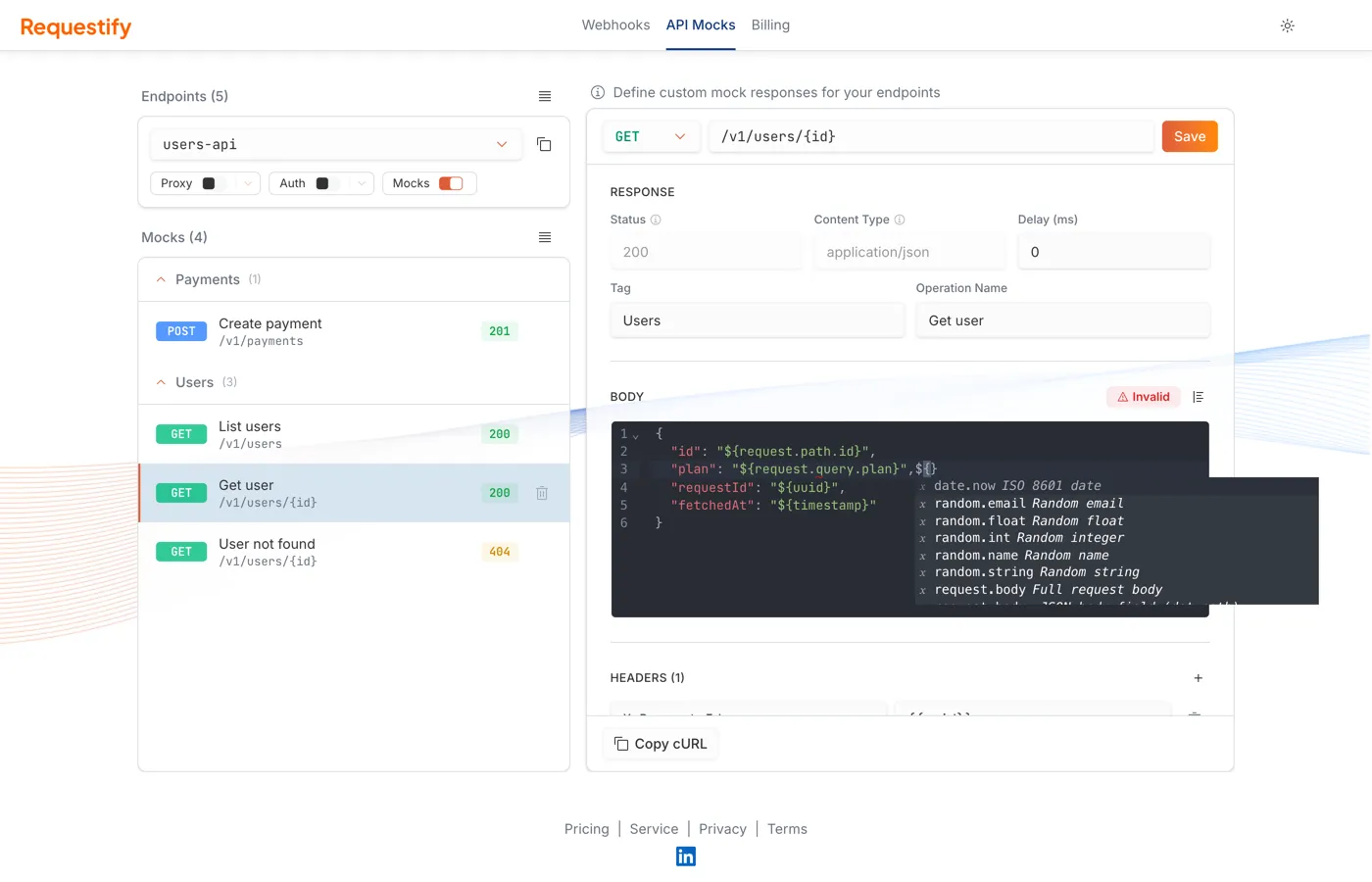
Section titled “Use values from the request”Type ${ in the body editor to get a list of the values you can insert. They’re filled in fresh on
every request.
| In the editor | Inserts |
|---|---|
${request.path.id} |
The value of the {id} path parameter |
${request.query.page} |
The page query parameter |
${request.headers.x-request-id} |
The X-Request-Id request header (any case) |
${request.body.customer.email} |
A field from a JSON request body, by dot path |
${request.body} |
The whole request body |
${request.method} |
The request method |
${request.url} |
The request path after the endpoint name, such as /v1/users/42 |
${uuid} |
A random UUID |
${timestamp} or ${date.now} |
The current UTC time, such as 2026-10-04T17:12:09Z |
${random.int} |
A random whole number from 0 to 999999 |
${random.float} |
A random number from 0.00 to 9999.99 |
${random.string} |
12 random letters and digits |
${random.email} |
A random address at example.com |
${random.name} |
A random first and last name |
Values are inserted as they are, without escaping. A missing value inserts nothing.
Worked example
Section titled “Worked example”A GET mock on /v1/users/{id} with content type application/json and this body:
{ "id": "${request.path.id}", "plan": "${request.query.plan}", "requestId": "${uuid}", "fetchedAt": "${timestamp}"}curl "https://acme-demo.requestify.dev/brave-eager-turing/v1/users/42?plan=pro"{ "id": "42", "plan": "pro", "requestId": "9b2e4c1a-5f0d-4a8e-b7c3-1d6f2e8a9b04", "fetchedAt": "2026-10-04T17:12:09Z"}Templates from an AI assistant
Section titled “Templates from an AI assistant”The editor’s ${…} values are stored as Go templates. When an
AI assistant creates mocks over MCP, it writes the stored form
directly:
| Editor | Stored form |
|---|---|
${request.path.id} |
{{pathParam `id`}} |
${request.query.page} |
{{query `page`}} |
${request.headers.x-request-id} |
{{header `x-request-id`}} |
${request.body.customer.email} |
{{bodyField `customer.email`}} |
${request.body}, ${request.method}, ${request.url} |
{{requestBody}}, {{requestMethod}}, {{requestUrl}} |
${uuid}, ${timestamp} |
{{uuid}}, {{now}} |
${random.int} and the other random values |
{{randomInt}}, {{randomFloat}}, {{randomString}}, {{randomEmail}}, {{randomName}} |
Go template actions such as {{if}}, {{else}} and {{range}} also work, in the editor too. For
example, {{if query `debug`}}…{{else}}…{{end}} returns different content when the request
has a non-empty debug query parameter, such as ?debug=1.
Match on request content
Section titled “Match on request content”Rules decide whether a mock applies to a particular request. Click + next to Rules to add one. Each rule has:
- A field:
header,queryorbody(a JSON body field, by dot path such asorder.status). - An operator:
equals,contains,matches(a regular expression) orexists. - The name of the header, query parameter or body field, and the value to compare with.
A mock with rules applies only when all of its rules match. A mock without rules matches every request on its path and method. Each mock can have up to 20 rules.
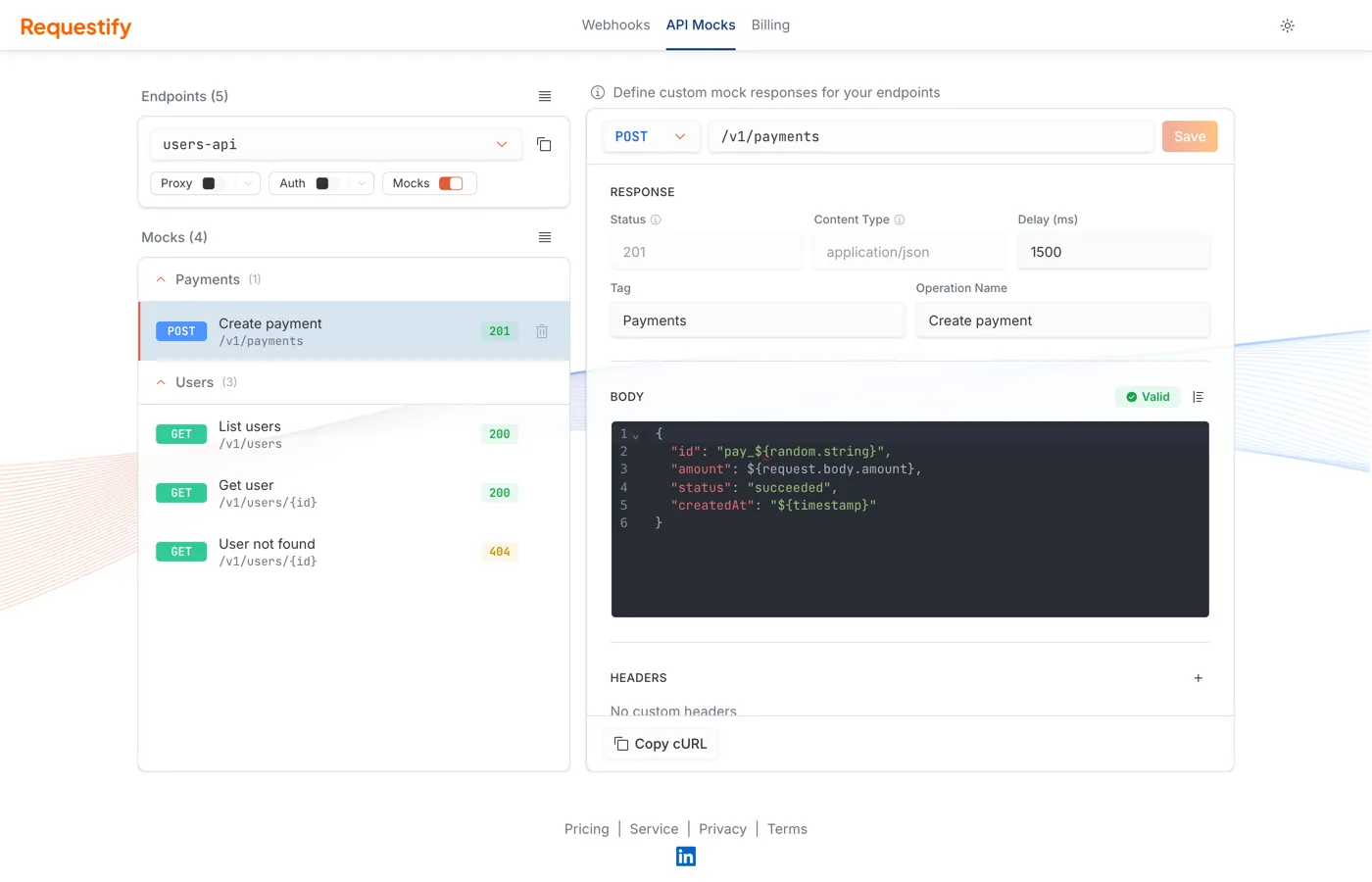
Because one path, method, status and content type can only have one mock, rules are for choosing
between responses that differ in status or content type. For example, on GET /v1/users/{id}:
- a
200mock with no rules, returning the user, and - a
404mock with the ruleheaderx-scenarioequalsmissing.
A normal request gets the 200. Sending X-Scenario: missing gets the 404. To vary a single
200 response by request instead, use templates with {{if}}.
Which mock answers
Section titled “Which mock answers”When several mocks could answer a request, Requestify picks one in this order:
- Path. A literal segment beats a
{param}segment, so/users/mewins over/users/{id}for/users/me. A*mock is used only when no other path matches. - Method. A mock for the exact method beats an ANY mock on the same path.
- Rules. Mocks whose rules all match win. Among those, the one with the most rules wins, then the most recently created.
- No rules. If no rule-based mock matches, a mock without rules answers. When there are several,
the request’s
Acceptheader picks the content type, and 2xx statuses are preferred.
Test a mock
Section titled “Test a mock”- Copy cURL at the bottom of an open mock copies a
curlcommand that hits it, including any headers and query parameters its rules need. - See Mocks on a captured event takes you to the mocks for that event’s endpoint.
- Every request a mock answers is also captured, so you can check what was sent on the Requests page.
The number of mocks per endpoint depends on your plan. See pricing.
Next steps
Section titled “Next steps”- OpenAPI import & export: create mocks for a whole API from its spec, and export your mocks as a spec.
- Connect your AI assistant: let Claude or another assistant build and test mocks for you.